ArrayArrayArrayArrayArray BrainModular BrainModular Users Forum 2017-01-23T11:41:47+02:00 https://brainmodular.com/forums/app.php/feed/topic/5656 2017-01-23T11:41:47+02:00 2017-01-23T11:41:47+02:00 https://brainmodular.com/forums/viewtopic.php?t=5656&p=36653#p36653 <![CDATA[pre-listen sound files]]> Statistics: Posted by Akis — 23 Jan 2017, 10:41


]]>
2017-01-19T11:56:29+02:00 2017-01-19T11:56:29+02:00 https://brainmodular.com/forums/viewtopic.php?t=5656&p=36632#p36632 <![CDATA[pre-listen sound files]]>
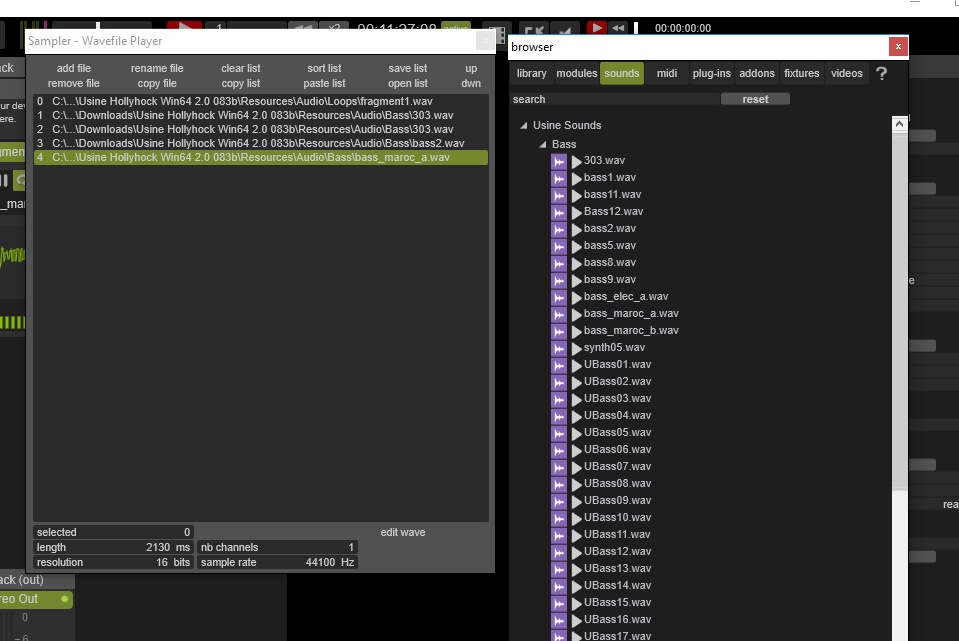
Image

http://www.sensomusic.org/wiki3/doku.ph ... _drag_drop

Statistics: Posted by iococoi — 19 Jan 2017, 10:56


]]>
2017-01-19T11:33:01+02:00 2017-01-19T11:33:01+02:00 https://brainmodular.com/forums/viewtopic.php?t=5656&p=36631#p36631 <![CDATA[pre-listen sound files]]> I thing I've forgotten this way as I more often load files by dragging them, but is it not possible by dragging?
otherwise the add files way is good too.

Statistics: Posted by Akis — 19 Jan 2017, 10:33


]]>
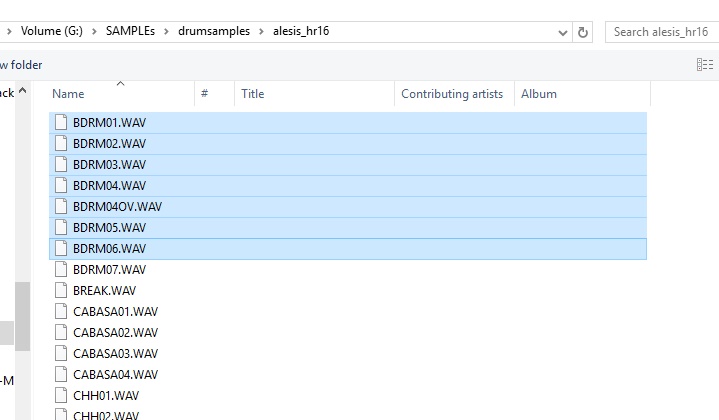
2017-01-19T09:02:17+02:00 2017-01-19T09:02:17+02:00 https://brainmodular.com/forums/viewtopic.php?t=5656&p=36629#p36629 <![CDATA[pre-listen sound files]]> i dunno about the pre-listen thing, but to add more files at a time, just shift/ctrl-select more files in the add file dialog.

Image
Image

Statistics: Posted by iococoi — 19 Jan 2017, 08:02


]]>
2017-01-18T12:11:08+02:00 2017-01-18T12:11:08+02:00 https://brainmodular.com/forums/viewtopic.php?t=5656&p=36628#p36628 <![CDATA[pre-listen sound files]]>
And In the list view of a sample player, how can I put in the list some files at the same time? I think I do it yet but I don't succeed anymore, so I have to put the files one by one in the list.

Statistics: Posted by Akis — 18 Jan 2017, 11:11


]]>
BrainModular BrainModular Users Forum 2017-01-23T11:41:47+02:00 https://brainmodular.com/forums/app.php/feed/topic/5656 2017-01-23T11:41:47+02:00 2017-01-23T11:41:47+02:00 https://brainmodular.com/forums/viewtopic.php?t=5656&p=36653#p36653 <![CDATA[pre-listen sound files]]> Statistics: Posted by Akis — 23 Jan 2017, 10:41


]]>
2017-01-19T11:56:29+02:00 2017-01-19T11:56:29+02:00 https://brainmodular.com/forums/viewtopic.php?t=5656&p=36632#p36632 <![CDATA[pre-listen sound files]]>
Image

http://www.sensomusic.org/wiki3/doku.ph ... _drag_drop

Statistics: Posted by iococoi — 19 Jan 2017, 10:56


]]>
2017-01-19T11:33:01+02:00 2017-01-19T11:33:01+02:00 https://brainmodular.com/forums/viewtopic.php?t=5656&p=36631#p36631 <![CDATA[pre-listen sound files]]> I thing I've forgotten this way as I more often load files by dragging them, but is it not possible by dragging?
otherwise the add files way is good too.

Statistics: Posted by Akis — 19 Jan 2017, 10:33


]]>
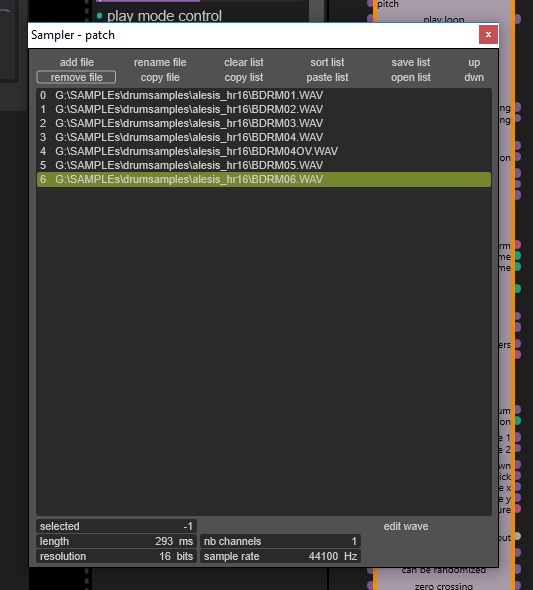
2017-01-19T09:02:17+02:00 2017-01-19T09:02:17+02:00 https://brainmodular.com/forums/viewtopic.php?t=5656&p=36629#p36629 <![CDATA[pre-listen sound files]]> i dunno about the pre-listen thing, but to add more files at a time, just shift/ctrl-select more files in the add file dialog.

Image
Image

Statistics: Posted by iococoi — 19 Jan 2017, 08:02


]]>
2017-01-18T12:11:08+02:00 2017-01-18T12:11:08+02:00 https://brainmodular.com/forums/viewtopic.php?t=5656&p=36628#p36628 <![CDATA[pre-listen sound files]]>
And In the list view of a sample player, how can I put in the list some files at the same time? I think I do it yet but I don't succeed anymore, so I have to put the files one by one in the list.

Statistics: Posted by Akis — 18 Jan 2017, 11:11


]]>