Welcome to %s forums

BrainModular Users Forum

Login Register

1st of a potentially large number of questions getting back into Usine

I need help on a Patch
Post Reply
runagate
Member
Posts: 288
Location: Austin, Texas, USA
Contact:

Unread post by runagate » 02 May 2012, 10:29

Hiyas. I haven't been around for a long time now.

I've been creating a Usine-centered band and, as I'm sure many of you can attest, the first really lengthy task is installing drivers, configuring settings, and, worst of all for me, re-installing innumerable VST plug-ins.

I started with a clean system install. Windows 8 Consumer Preview 64-bit. I'd been using the Developer Preview but, sadly, unlike migrating from Windows 7 to Consumer Preview, there's no such "path" from Developer to Consumer Preview versions, so I had to re-re-install a bajillion things.

Also, I'm using a large number of peripheral devices as HMI controllers. MIDI devices include: an AKAI EWI USB, CME VX5 keyboard (worst rip-off I ever fell for!), Suzuki QChord and MadCatz Rockband Fender Mustang MIDI guitar.

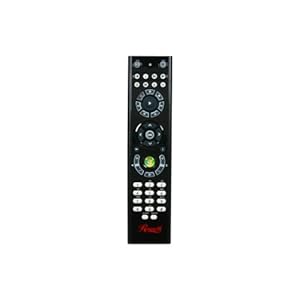
HID devices include: A Rosewill Windows Media Center Remote Control, Logitech RumblePad2 wireless gamepad, an Ecomani wireless touchpad/keyboard combo, a Wacom Bamboo Pen & Touch, a (wired) trackball mouse, a 3DConnexions Space Navigator 3D mouse, an Agama infrared webcam, an M-Audio NRV10 digital standalone mixer/Firewire sound card, and more...


runagate's Easine Logitech RumblePad2 to MIDI Experiment patch & workspace files


Image

click to download image above from Skydrive

What I've done as seen in the schematic image above is:

[q]1) Load a "Joystick" Usine module and set it to correspond to my Logitech RumblePad2 at Game Port #1

2) Connected Interface Controls to the Joystick module: a Button to "Show Setting," a Listbox to "Game Port," and a Fader to "Interval."

3) Connected the Joystick module's X, Y and Z positions to the X and Y positions of an X-Y Pad module and the Z position to a Vertical Fader, so the User gets visual feedback as to what values the RumblePad2's two analog joysticks are causing to be generated in Easine. Interestingly, the Joystick module interprets both axes of the second analog joystick as half of the resulting "Z position," which is obviously unintended behavior of the module, but useful since it doesn't recognize 2 separate X-Y joysticks.

4) Similarly, I connected the Joystick module's "Buttons" outputs to four corresponding "Button" interface elements, which serve solely to "light up" when they detect a button press on the "1," "2," "3," and "4" buttons on the RumblePad2. There are 6 more available buttons on that particular gamepad, but the modules is only designed to recognize four, which I presume is deciding which to receive based on the Windows HID API's scheme, much like the "3 axis joystick" bug/feature describe above.

5) Next, I connected the Joystick module's Pos X, Y & Z and Buttons 1, 2, 3 & 4 outlets to "MIDI Interface Controls," thinking that they may interpret the internal Usine data and conveniently translate that into a MIDI CC# output. I couldn't find any reference to "translate Data into MIDI" module or function in Usine's online references.

6) I then added more Interface Controls to allow the User to set the desired MIDI CC#s for the "MIDI Interface Controls" to output, but as Step 5 above didn't work, they're there only to show the conceptual misapprehension I was motivated to design the patch as I have so far.[/q]

My ultimate goal was to "Save as VST" for each of the Easine patches I'm planning on creating to act as interception and translation plug-ins between my outboard peripheral hardware controllers and other DAWs which can load Easine as a VST/VSTi and/or "Saved as VST" plugin so I can share my efforts, but made little headway in this first attempt.

At least what I've thrown together is largely all I'll need to utilize in Easine, which is what I intend to use in live performance, without the need to resorting to Data-to-MIDI conversion frustrations.

I am curious to how one might go about customizing existing modules to be able to utilize more of the Windows HID APIs, but I'll get into the specifics of that later as this post is already quite long.

Anyone care to steer me towards the proper information which will allow my to progress beyond this impasse? Note: I am not a programmer or I wouldn't have spent the last 3 years on the "giant project" some of you may remember me retiring from making music in order to concentrate upon!

- runagate

User avatar
nay-seven
Site Admin
Posts: 5684
Location: rennes France
Contact:

Unread post by nay-seven » 02 May 2012, 13:48

About your question 4 & 5 about "translate Data into MIDI" here a simple example :
Image

runagate
Member
Posts: 288
Location: Austin, Texas, USA
Contact:

Unread post by runagate » 03 May 2012, 00:53

Thank you very much, Mr. Nay.
I would never have ascertained the implication of "code2" without that example.

I spent a long time trying to reverse engineer your Madcatz Mustang patch to be a "template" for use with other VSTi, not least because I can't seem to find "HeliosII.dll" despite having used Tobybear's VSTs long before Usine was a publicly available application, and would love a quick and easy way of assigning the CC#s 1 and 11 (the Mustang's accelerometer's MIDI output from X- and Y-axes, respectively) to VST parameters but can't quite wrap my head around it yet, what with some of the modules obviously having something to do with Patch Change, Octave increment and decrement, &c., but its complicated enough to elude quick comprehension on my part.

User avatar
nay-seven
Site Admin
Posts: 5684
Location: rennes France
Contact:

Unread post by nay-seven » 03 May 2012, 09:16

will test further, but if i remember correctly there's a subpatch named mustang 10b , if you link the outlets Y values and Z values directly to your VSTI inlets, will work..?
if you need the helios vsti, there's a download link on the wiki :learn Usine

runagate
Member
Posts: 288
Location: Austin, Texas, USA
Contact:

Unread post by runagate » 04 May 2012, 16:09

I had noticed that there was a sub-patch, and the I/O, but the labels of the inlets and outlets don't really mention what is passed through from the inside and, though the documentation about how sub-patches was clear, the labels on the previous modules internal to the sub-patch and the routing didn't quite come together in my understanding, not least because, without the HeliosII.dll (which I just now downloaded - thank you - more than anything I'm always looking forward to check out things you've built... I've enjoyed them for years now, as you know) the visual representation of what was going on was marred by the "missing VST" stand-in module which was red and showed a whole lot of unlabeled connections as the fall-back image in place of the missing .dll couldn't possibly know what the correct labels would have been originally. Now, with the correct .dll, it should help a lot.

Notably, I'm not criticizing anything whatsoever about how any part of the patching process works. I am all too aware that I don't have the right kind of mentality to parse modular, VPL (visual programming language) UIs. I've studied many, many such things for 3 straight years and understand many such things in a much deeper way than I ever did while using dozens of VSTs at a time for making music and sound design for the previous many years, but in practice every visual, modal block UI has many built in assumptions and specialist knowledge that someone with an extremely non-visual mind and largely concentrated upon higher-order organization has to take a long time, and very explicit and specific information, to use the lower-level modules to build up the functionality intended as the end result.

Obviously, people like Senso and yourself, who are well versed in and comfortable with reductionist conceptualizations, having entirely different points of view on such things, have little insight into we of different mental proclivities more often than not have to be walked through everything with baby steps... and I am mindful of the fact that none of us have time to go around teaching each and every person how to think like the other and instill all the weird, specialist knowledge we've accrued over long time practice.

Much to my surprise, every single VST developer I've ever worked closely with notices that people like me manage to get sounds and capabilities and combine multiple VSTs in complex signal chains that do things they themselves, the people who designed and created them, never thought of and don't really understand how I came up with the patches which cause them to do things they were never intended to do. The funny thing is that, most of the time in the past before studying such things in much more depth than I have any personal interest in, I had no more insight into how their VSTs worked internally nor gave it much thought, than any other VST-addicted musician. By habit, inclination, and intended end results sought, we are two (or more) groups who simply conceptualize the usage of the same tools from radically different perspectives, and making such differences we're often entirely unaware of explicit.

Which is why I often admit up front that admit my ignorance up front and try to formulate my questions in as detailed and non-naïve way as I can before I ask them - which almost always fails! But I do try.

I'm intrigued by the "HID" Usine module. In the intervening time away from Usine I've learned a lot about software engineering and many other such (to musicians) arcane disciplines, so I now know that HID stands for "Human Interface Device," the Windows API for a specific class of protocols for communicating with external hardware peripherals.

For instance, I have a (now ancient) Belkin Nostromo SpeedPad N52 (yes, sadly, I can rattle off those official names of my toys off the top of my head), which has a number of configurable keyboard keys (which can be customized to perform multi-key shortcuts), a "gamepad button," and an 8-way D-pad. The keyboard keys mostly generate ASCII data, as I recall, though the keypad has 4 "layers," or contextual modes, indicated by the state of an associated LED indicator (Off, red, blue or green) and keys can be assigned to switch between "layers." Much like the Logitech Illuminated Keyboard I'm using or many similar Logitech peripheral's orange-font-captioned "FN" keys, the OS is not informed of the commands from such keypresses, which are solely internal to the device in question (which is why FN keys can't be used for "key latch" functions in Usine, where, akin to "MIDI learn," Usine can assign a connection between keyboard keys and an internal parameter, which I mention solely for others reading this, as I know you know all this).

Image

The "D-Pad" and "Button" are covered by the Windows "Gamepad" API, and I believe that the way the data the buttons is sent is that each button on a device is simply given an ordinal I.D., e.g., Button 1, Button 2, etc.

Some such hardware HID peripheral controllers, for instance, the Nostromo, Logitech keyboard, Logitech RumblePad2, and 3DConnexions Space Navigator (3D mouse) I use, have wonderful driver configuration utility application functionality which allows you to use custom "profiles" which become active when a specific application (e.g., Usine) is instantiated and the "window" that's currently "in focus," allowing each control on the device to have a different "meaning" depending on which application is being used. I, myself, use FL Studio for most of my arranging and composition, and then re-engineer everything in Usine for live use, timeline automation of song parts, assignment of external MIDI controllers to VST parameters, etc. Something which, notably, I believe only Usine is sufficiently capable of allowing someone like me, with lots and lots of very specific and ever-varying requirements, to accomplish.

The reason for all this is that I'd going to try to create patches and add-ons that will allow for higher-level functionality to be easily obtained and inserted into projects by Usine users like me who aren't quite competent with the lowest-level modules and their value traits and scopes, facets, etc., with layers of mid-level sub-patches more higher-order than modules, more "general" in function but allowing much more rapid adoption and customization for Users' particular design needs, and then higher-order patches, much like your Mustang patch, that leverages these mid-level sub-patches to present the end user with a complete drop-in solution for some particular design goal or desired end result. I know that Usine is fully capable of almost all of what I've got in mind, but I lack insight into the lower-level modules and ability to build up circuits that perform the requisite logic functions, for instance, so I'll just drop questions and ideas here on the forum.

Here's what it currently says in Usine wiki page pertaining to the "HID Device" documentation, found via this link.

Image

Here's an image of the "HID Module":

Image

Now, I assume that the "num device" ("Number of the device to monitor") refers to the HID device number. The only way I can think of for ascertaining this information is by:

1. Navigating to the Windows "Control Panel" (specificaly, Control PanelAll Control Panel Items, as Windows 7 and 8 beta like to hide this UI from standard Users)
2. Clicking on "Device Manager" icon
3. In the "Device Manager," clicking the arrows next to the appropriate categories (see the image below showing my system's Keyboard and Mice categories branches displayed) and selecting the device in question
4. Right-clicking said device's name and selecting "Properties" from the pop-up context menu thus instantiated

Image

Image

Image

Image

Image

Problematically, not all devices listed in the "Device Manager" will have "friendly" names. For example, in the first image after the numbered list above, upon clicking the GUI arrow next to the "Keyboards" category which then displays the sub-tree of device drivers which comply with the HID API, you can see listed:

[q]HID Keyboard Device ("Address" 00000006)
HID Keyboard Device (no "Address" field; Physical Device Object name Device]000000cb)
HID Keyboard Device (no "Address" field; Physical Device Object name Device0000089)
Logitech HID-Compliant Keyboard ("Address" 00000001)
Microsoft eHome MCIR 109 Keyboard (no "Address" field; Physical Device Object name Device0000065)
Microsoft eHome MCIR Keyboard (no "Address" field; Physical Device Object name Device0000064)
Microsoft eHome Remote Control Keyboard keys (no "Address" field; Physical Device Object name Device0000063)[/q]

My guess is that the first "HID Keyboard Device" at "Address" 00000006, corresponds to the Ecomani wireless keyboard/touchpad combo device I've got plugged into a powered USB Hub.

The other two likely correspond to something I don't currently have plugged in, one of which would be the Belkin Nostromo SpeedPad 2 which I don't always connect to the USB Hub.

The three "Microsoft eHome MCIR" entries appear to correspond to the Rosewill infrared remote Windows Media Center remote control I use. Quite a while back I dug through the Windows 7 APIs' documentation to discover what ASCII the Remote outputs so I could use it with applications aside from Media Center, which I don't use anyways, specifically Usine, and discovered that it does not output standard ASCII, but is covered under an extension of the HID API created specifically for the Microsoft-licensed "Green Button" 3rd party Remote Controls which is basically just like ASCII, but outputs data that normal ASCII-compliant applications would simply disregard (in most cases), though it's easy enough to use the documentation of the Media Remote API to allow an application to be aware of these ASCII-extension control data. In practice, this means that the remote, though it has a "Number Pad," displaying numbers 0 through 9 as well as Asterisk (*) and Number Sign (#) (ASCII codes 42 and 35, respectively), and, beneath those keys, a "Clear" and an "Enter" button.

The "Remote Control and Receiver-Transceiver Specifications and Requirements for Windows Media Center in Windows Operating Systems" documentation PDF can be downloaded here.

Image

In the PDF linked above, one can, for instance, see that the "*" button on a compliant Media Center remote is documented thusly:

Image

I'll have more to post here later, but this particular post has already taken quite some time to put together.

- runagate

User avatar
nay-seven
Site Admin
Posts: 5684
Location: rennes France
Contact:

Unread post by nay-seven » 04 May 2012, 18:40

whaoo, what a huge ( but interesting ) post :)

I'm agree, you're totally right, I've to create a more generic add-on for this mustang midi controller ,i will add this to my to do list.

About modular host , we are also surprised and glad to see what users can do with Usine , we regularly try to create simple and ready made tools ( last was DJ fx series ) , but Usine users works in many different domains and we can't cover all of them easily, ( some of them : dance, theater ,video interaction, multi surround,sound design, sound engineers,and music of course )

About the HID module, you can simplify the process ( again i 'll add a wiki page to my to do list )
when you plug a n HID module you can see his number in the console :( here idx = 4 for a gamepad )

Image

Second step can be to create an array :
Image

This way you can see what's happen with your hid device and use the data out with logic module ( generally module like A=B are useful

Here an example , when you receive the value1 on the outlet play a sample :
Image

runagate
Member
Posts: 288
Location: Austin, Texas, USA
Contact:

Unread post by runagate » 04 May 2012, 20:19

[q]About modular host , we are also surprised and glad to see what users can do with Usine , we regularly try to create simple and ready made tools ( last was DJ fx series ) , but Usine users works in many different domains and we can't cover all of them easily, ( some of them : dance, theater ,video interaction, multi surround,sound design, sound engineers,and music of course )[/q]

Oh, how well I know the truth of this. Even while (regrettably) away from making music, I kept up on new modules ya'll have been adding. They're amazing.

[q]About the HID module, you can simplify the process ( again i 'll add a wiki page to my to do list )
when you plug a n HID module you can see his number in the console here idx = 4 for a gamepad )[/q]

This is very interesting and illuminating. I happen to have not plugged in a peripheral while Usine was running, as my habits were formed using different DAWs prior to Usine being available and (though I imagine this is no longer true - it's no longer true of FL Studio, I know... finally) back in the day, if a MIDI controller wasn't active before the application was in question, you'd have to exit and restart it. This was equally true of peripherals that accidentally became unplugged or turned off, and USB, MIDI and other such connectors tend not to stay plugged in as reliably as, say, a 1/4" audio or XLR cable, so I have diligently ensured everything external was active prior to instantiating any DAW. Honestly, I never gave it any thought for a long time after learning the hard way in the past.

Then again, IDX wouldn't have meant anything to me.

Does this mean that Usine doesn't necessarily differentiate between two hardware peripheral controllers of the same HID class (joysticks or keyboards or mice)?

Here's one of the obtuse questions: where's the wiki for A=B?
Come to think of it I ought to re-read the Usine documentation after all this time before I start asking too many newbie questions.

Your diagram, though, is a good example. I can see how one could continue to build upon that.

I think I'll work up a design idea and show you here and see what you make of it to illustrate at least some of my thoughts about making intervening patches between Usine and hardware controllers.

User avatar
nay-seven
Site Admin
Posts: 5684
Location: rennes France
Contact:

Unread post by nay-seven » 04 May 2012, 21:01

in the patch window, you can click on the ? of the parameter panel of a module to open his wiki page, here it's a general page about math and logical ones.
A=B is a logical module , it sends a 1 value when the condition is verified,( if A=B here ) and 0 otherwise ( except if the block button is selected, check here to find more .

runagate
Member
Posts: 288
Location: Austin, Texas, USA
Contact:

Unread post by runagate » 14 May 2012, 11:36

Unfortunately, despite attempting to figure this out on my own I cannot figure even this HID module example out.

Tonight I've reproduced the patch you showed above. I get audio out from a sample successfully, so there's no configuration problem.

The problems I'm having are:

1) No matter how I set things up, no "idx" number appears in the "trace" display window, regardless of what I plug in, nor where... not even my wired, USB, pretty much standard keyboard plugged into the keyboard-specific USB port in my PC. I'm at a loss to explain this.

2) Presumably, the HID module accepts all devices' input unless one specifies the particular device's ID in the property field? I ask this only because you don't seem to have specified one in the patch above, or at least wired a UI modules to set it manually.

3) Perhaps, since I don't get any trace data from my HID peripherals, my experiments at guessing at device numbers and then attempting to stop/start the sampler module but trying all the available controls (all keys on a keyboard, all buttons on a gamepad, etc.) I just happen to not be hitting on a germane combination of IDX and input datum, but that seems unlikely since I tried IDs number 0 through 65, and I have quite a number of HID devices plugged in on this system.

4) How does the "array" module facilitate "seeing" what data is coming in? Am I confused only because, for whatever reason, I'm not getting any feedback from HID peripheral devices in my Usine "trace" display window? The MIDI In and Out data appears in the Trace Window just as one would expect (when that option is turned on in Global Settings).

By the way, thanks again for directing me to the "?" button on modules display panes... if that used to be in Usine, I don't recall it after being away so long and largely sticking to the things I already understood.

I did an enormous amount of research on the HID API and assembled even more documentation that I'd already ferreted away in the intervening years and will likely post something about that here sometime.

Also, what's the simplest way to make multiple MIDI Channels filtered down to one single Channel (e.g., the 6 channels from the MadCatz Mustang into just Channel 1 or whatever)? I've achieved this with VSTs in the past (I have an absurd amount of MIDI Utility VSTs) and, just to learn, made my own from Usine modules but I suspect my way of kludging a subpatch together is 20x more complicated than neccessary.

User avatar
nay-seven
Site Admin
Posts: 5684
Location: rennes France
Contact:

Unread post by nay-seven » 14 May 2012, 16:46

No matter how I set things up, no "idx" number appears in the "trace" display window,
yes, my fault , you must be in debug mode to use this check global setup/system , I've updated the wiki page
How does the "array" module facilitate "seeing" what data is coming in?
most of HID devices send data as an array example 127 ,127 ,1 ,4 , so an array module extract this, and let you select the data you want to use.
what's the simplest way to make multiple MIDI Channels filtered down to one single Channel
a simple midi transformer module can do the job , set the channel parameter to chan 1

runagate
Member
Posts: 288
Location: Austin, Texas, USA
Contact:

Unread post by runagate » 16 May 2012, 18:00

Thanks for the debug mode tip!

When I said, "seeing," the data, I literally meant some sort of visualization of the digits... perhaps it'll be shown in debug mode, I will check.

As to MIDI Filtering, how feasible would something like this be (I am attempting to cobble it together with modules and/or MIDI utility VSTs I've accrued over the years, but as I say this is not my specialty)

Image

"User Text Label" is just a GUI field for the User to enter a label that will later remind them what it is they've configured all this for.
"MIDI Channel In" is meant to represent a text field to indicate what specific channel the module should intercept (ignoring all others... though, obviously, an ideal UI would be something more like a modular matrix with all 16 channels lined up on the In and Out sides, and the ability to simply draw connections between them, to simplify situations such as when one has hardcoded MIDI controllers which output, say, channels 7 and 10, which the User needs to reroute to, say, Channels 8 and 3, respectively, but that would be a lot of UI space on this mock-up I made, which is intended for per control message filter/transform, so that, say, a Rotary Encoder on Channel 6 can be rerouted to Channel 13 all by itself, without affecting the entire rest of the MIDI Channel's messages, and so forth.

The rest of the GUI controls beneath these first two are meant to represent "checkboxes" to indicate which MIDI Input message type is intended to be intercepted and subsequently transformed as configured by the UI controls on the right side of the mock-up UI.

The "Output Transformation Data Type" section has checkboxes to choose amongst three data types the MIDI input is to be translated into.
The list of control messages with checkboxes next to them beneath this section is obviously solely for if the datatype to be output is MIDI. I don't believe that Usine data nor VST automation data needs a similar list of configuration options, but others may know better than I... I suppose that internal Usine datatypes could be chosen amongst, such as Text String, Color, etc.

"Dead Zone" checkbox is meant for situations such as when using a Wiimote, which I never have, but it's a great example, as a MIDI controller as I imagine that it would continuously barrage Usine with miniscule position change messages, so one might select "0" as the Center Value and then use the mock-up knob above it labeled "percentage" to "pad" the value around "0" but I don't have the maths to make this sort of thing, as it implies that the RANGE of the input data is known (likely true with MIDI data...) so that the "percentage" of, say, a range of Values from 0 to 127 is a meaningful concept, BUT I believe that it also implies that, if, say, the "dead zone" were to be "0" to "30," some internal calculations would have to be made to RESCALE the Values in the remaining range from 31 to 127. My brain hurts thinking about the range of possible input/output ranges, perhaps they could be manually entered by the User? At least you see that I'm aware of such issues, which I certainly wouldn't have been back in the day prior to pondering such things for 3 straight years.

There's a lot more one could add to even this rather complex mock-up, which is not a proposal for a specific UI prototype but just a visual way to bridge the brains of higher- and lower-order conceptualizations.

runagate
Member
Posts: 288
Location: Austin, Texas, USA
Contact:

Unread post by runagate » 16 May 2012, 18:32

Having easy, high-level access to such functionality would be useful in a huge number of situations, here's some examples:

1) assigning a single hardware MIDI keyboard key to a single Value of VST Automation, and using a few such data transformation modules, one could assign, say, MIDI Note Pitches C4, D4, D#4, to output VST Automation values "0," "50," and "100," all routed from these modules Outputs to the Input of a VST, for instance a Panning effect's "Pan" parameter, representing "full left," "center" and "full right" positions in the panorama field. I don't know why one would do this; but it's an easy to imagine example of the utility of such complex underlying data filtering and how it empowers a User to use whatever controllers they happen to have at hand to perform functions they find necessary for their music-making, unrestricted by the details of hardcoded intervening control messages, which is something Usine utterly excels at, especially in contrast to all other DAWs.

2) Such data filtering configuration functions would allow Patch-makers to use sub-patches dropped-in between their Patches' inputs and core functions' parameters to allow quick and easy generalization of application by prospective End Users. (yes, I really write like this, despite my best attempts not to). An example would be Nay's beauteous MadCatz Mustang midi guitar module... with such sub-patches, it would make configuration of the Patch to a wide range of End User's specific, personal applications much easier, and save the actual Patch-maker perhaps even more time futzing around trying to do so, from scratch, ever time they and all other Patch-makers develop their creations. Re-use is good.

For example, having the ability to interject a "dead spot" into the data influx from the Mustang's accelerometer's "Z-axis," hard-coded to send MIDI Pitch Bend messages (confusingly, on all 6 Channels, one for each "string," despite the fact that, obviously, there's not a separate, independent method of expressing the Z-axis per-string, though one could use such data transformation schemes as described above to filter the Pitch Bend so as to be acknowledged solely on Channel 6 - which, in a situation where Channels 1 though 5 were all routed to "VSTi A," a Guitar Synth, and solely Channel 6 to "VSTi B," a Bass Synth, they one could use the Z-axis to Pitch Bend a thumb-played bassline, while held, sustained chords of the Guitar Synth would be left unaffected, and the "dead spot" would allow for the normal movement of playing and the perhaps not perfectly-perpendicular-to-the-plane-of-gravity way one habitually holds a guitar from causing constant erratic detuning of one's played Note pitches until the "dead zone" is consciously surpassed, and only past that point in the Z-axis (for those unfamiliar with the Mustang, imagine turning the guitar to point upward, the head of the guitar arcing up towards the player's head) would Pitch Bend begin to occur.

I'll stop there for the moment, though obviously I've already thought up endless examples due to working on my project which kept me away from Usine and music-making for so long. Our language is not especially good at conveying any of these domains, reductionist lower-level modular logic, data range and scope, performance visualization etc. so I do apologize for this logorrhea but haven't found a more clear way of writing such things.

User avatar
nay-seven
Site Admin
Posts: 5684
Location: rennes France
Contact:

Unread post by nay-seven » 16 May 2012, 20:13

I've to read your post more deeply but here some first ideas
an ideal UI would be something more like a modular matrix with all 16 channels lined up on the In and Out sides
you can create this with the module midi matrix , here a first step with only the 4 first canal ( midi in and out have canal filter inside) download

About the filter/assign works have you test the midi pack of Bsork..?

About Dead zone, i know there's a sub-patch named tolerance ( by senso) I've to find where it is...

runagate
Member
Posts: 288
Location: Austin, Texas, USA
Contact:

Unread post by runagate » 16 May 2012, 21:38

That MIDI Channel Matrix .pat is very nice. Thanks!

I've been poking around in bsork's lovely midi pack, but sadly it'll take many, many hours for my feeble brain to reverse-engineer it enough to comprehend how to customize it, but I'll get it eventually.

Does there happen to be a... I think sometimes people call it "intertia," or something to do with slew rate, whereby a data filter restricts the update rate of a data stream? In other words if one were to filter a Pitch Bend input, it would respond to rapid value updates more slowly? I rarely use such things but found myself needing one earlier when doing sound design with FL Studio, where every internal "link parameter" sub-pane has the option to turn such a feature on, and a knob to set the amount, which is nice when every once in a while, like today, some external controller or modulation source is a bit too hyperactive and there's no other, more surgical way of taming it.

runagate
Member
Posts: 288
Location: Austin, Texas, USA
Contact:

Unread post by runagate » 16 May 2012, 22:07

That MIDI Channel Matrix .pat is very nice. Thanks!

I've been poking around in bsork's lovely midi pack, but sadly it'll take many, many hours for my feeble brain to reverse-engineer it enough to comprehend how to customize it, but I'll get it eventually.

Does there happen to be a... I think sometimes people call it "intertia," or something to do with slew rate, whereby a data filter restricts the update rate of a data stream? In other words if one were to filter a Pitch Bend input, it would respond to rapid value updates more slowly? I rarely use such things but found myself needing one earlier when doing sound design with FL Studio, where every internal "link parameter" sub-pane has the option to turn such a feature on, and a knob to set the amount, which is nice when every once in a while, like today, some external controller or modulation source is a bit too hyperactive and there's no other, more surgical way of taming it.

caco
Member
Posts: 306
Contact:

Unread post by caco » 17 May 2012, 09:06

Hi runagate,

take a look at the smoother in the data section of the browser, it should do what you are looking for :)

Post Reply

Who is online

Users browsing this forum: No registered users and 107 guests