Dialog File Open
Opens the standard Open Dialog box, in order to let the user to choose a file.
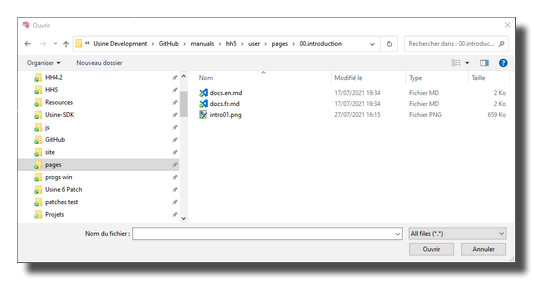
Settings
open
Opens the dialog box.
filename
Full name of the selected file (included the path).
short filename
Fill name without path information.
path
Initial path. Filled by the path of the selected file .
filter
Files filter.
For example can be:
Patch files (*.pat)*.pat
All Images *.jpg; *.bmp; *.ico
Wave, aiff or mp3 files *.wav; *.aif; *.mp3; *.flac
All files (*.*)*.*
completed
Send 1 value when the open dialog operation is completed.
A flow-from-1-to-0 must be used to trigger something when the operation is completed or canceled.
canceled
Send 1 value when the open dialog operation has been canceled.
A flow-from-1-to-0 must be used to trigger something when the operation is completed or canceled.
reset filename
Sets the file name to a blank string.
See also
- File Collection Panel
- Files
- File Zip
- Filename Delete Extension
- File Delete
- Filename Usine Path
- File Rename
- File Copy
- Filename Path Delimiter
- File UnZip
- File List Manager
- Filename Extract Name
- File Save Text File
- File Open Text File
- File Lister Split
- Filename Extract Path
- Filename Get Temp Filename
- Filename Extract Extension
- File Drive Insert Notification
- File Lister
version 6.0.241021
Edit All Pages